
Budget that adds up
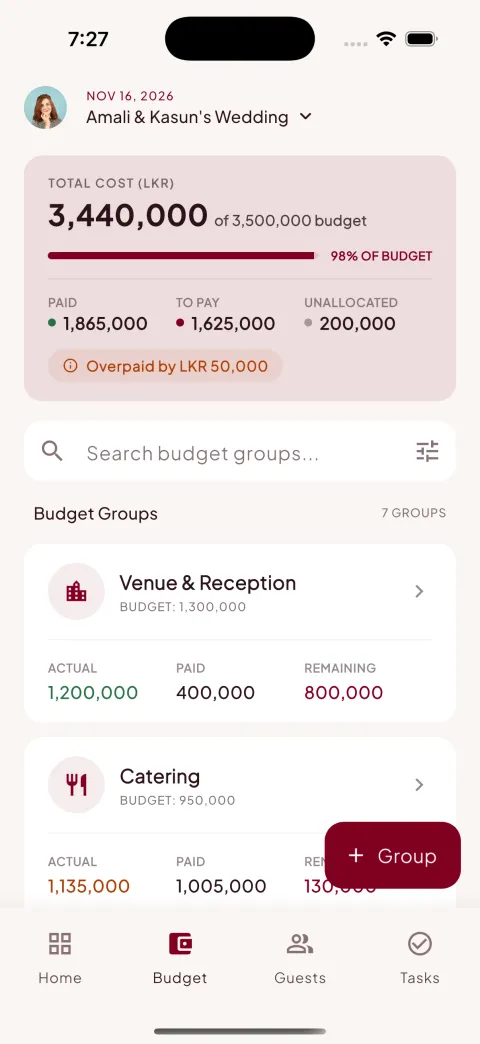
Set a total budget, break it into groups like venue, catering and photography, log every payment and instantly see what is paid, pending or overpaid — in any of 100+ currencies.
Your love story, beautifully organised
Our Day is the wedding planner app for modern couples. Track your budget in any currency, manage guests and RSVPs, send stunning digital invitations on WhatsApp, and plan every detail with your partner and family.
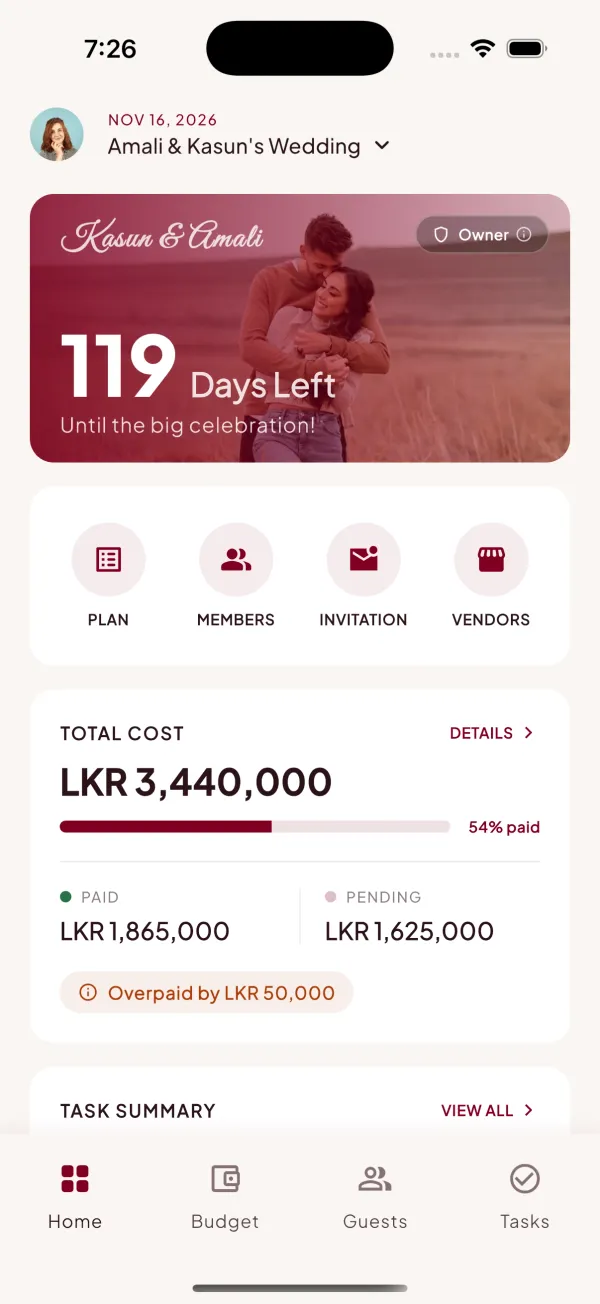
From the first budget estimate to the final RSVP — Our Day keeps every part of your wedding plan in one calm, beautiful place.
Set a total budget, break it into groups like venue, catering and photography, log every payment and instantly see what is paid, pending or overpaid — in any of 100+ currencies.
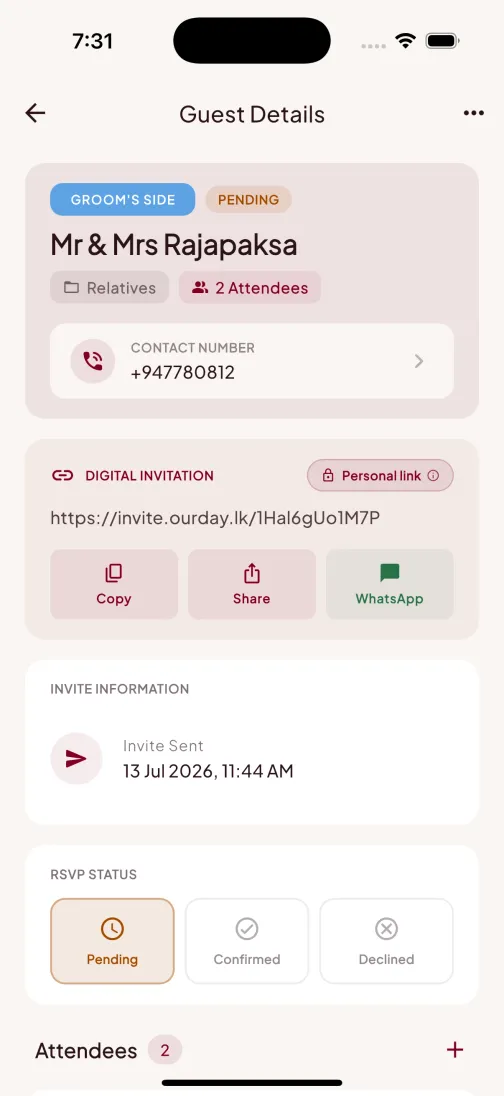
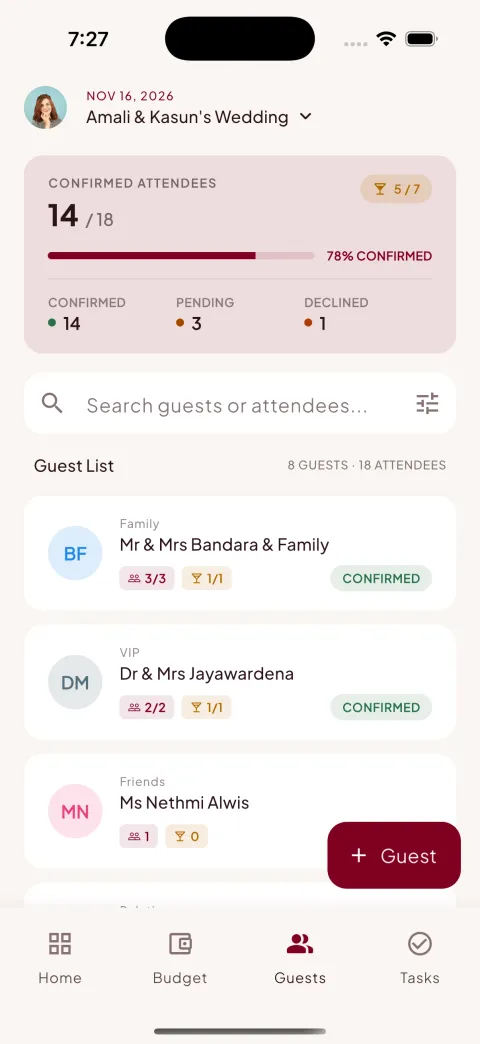
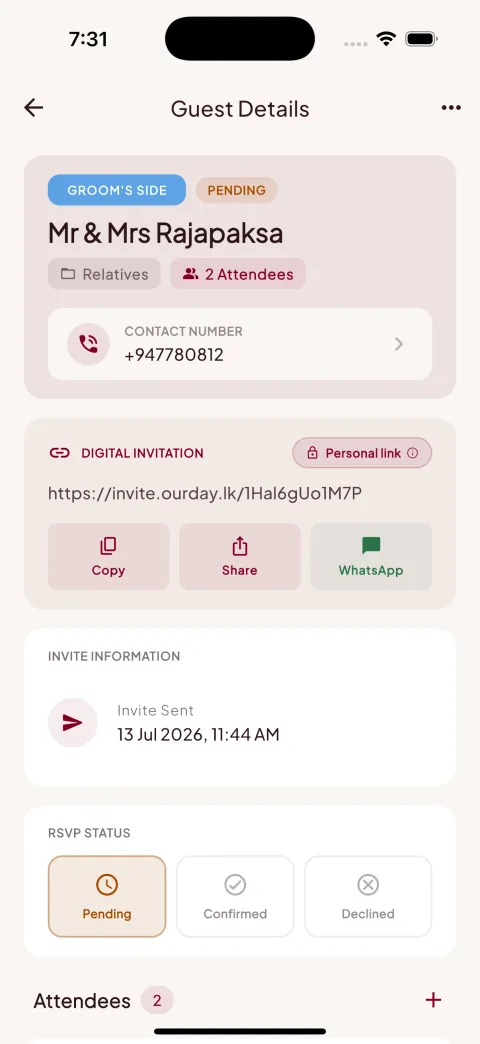
Organise guests by family and side, track confirmed, pending and declined responses, count attendees, and watch your headcount update in real time.
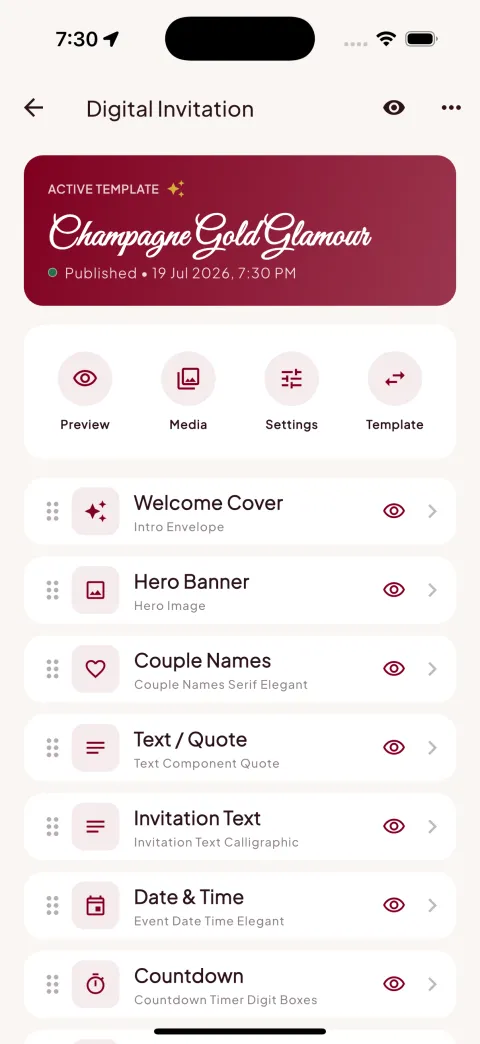
Elegant invitation templates with your photos, story and countdown. Every guest gets a personal link they can open in any browser — no app needed.
Send each invitation straight to WhatsApp, SMS or email with one tap, and see exactly when invites went out and who has responded.
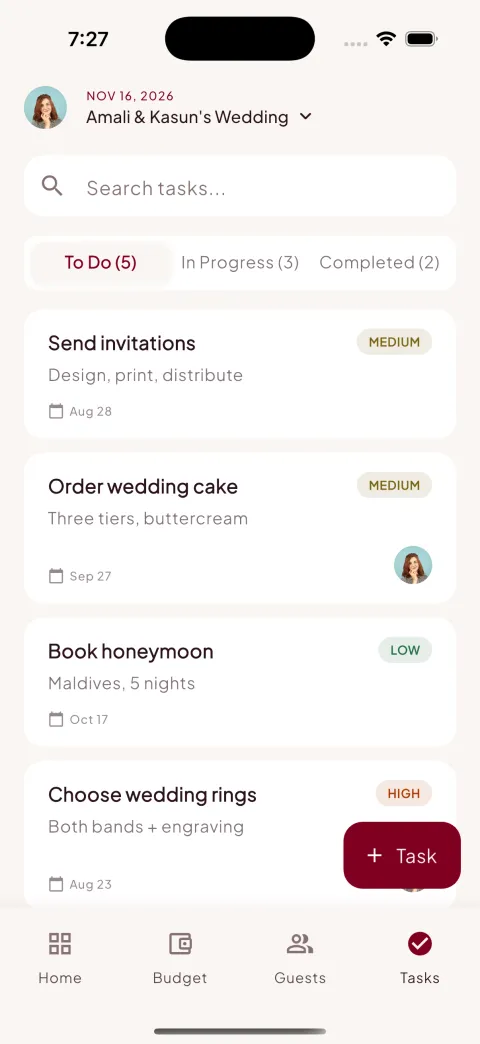
Keep every to-do in one place with due dates, priorities, categories and subtasks. Assign tasks to your partner or family so nothing slips.
Track every vendor from shortlisted to finalized — venue, catering, photography, music and more — with their quotes tied to your budget.
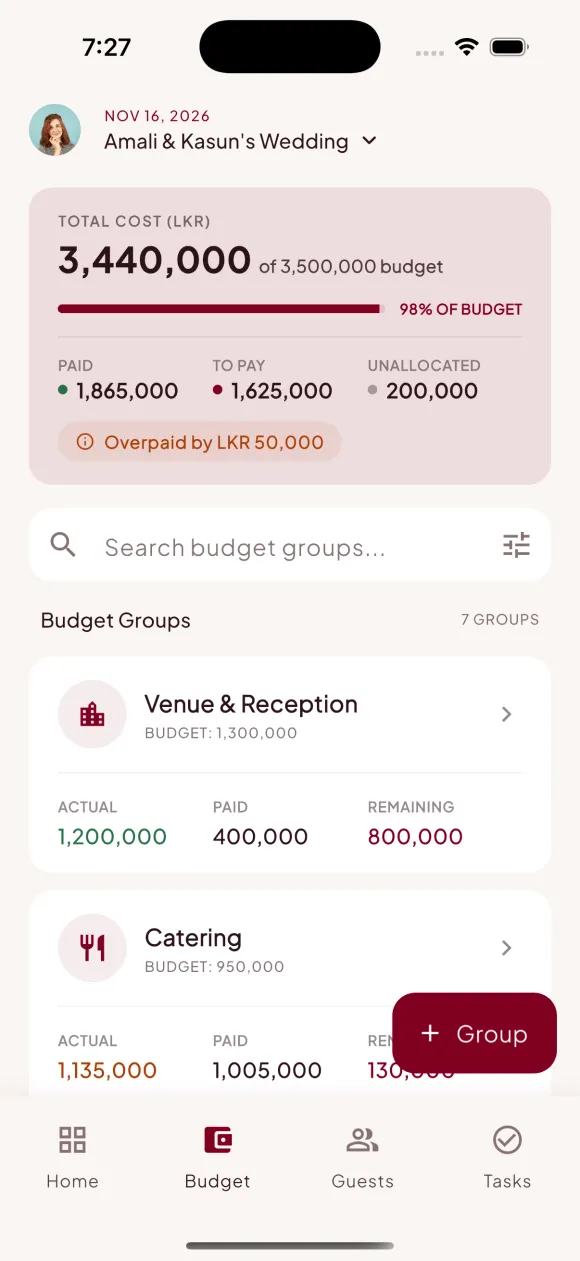
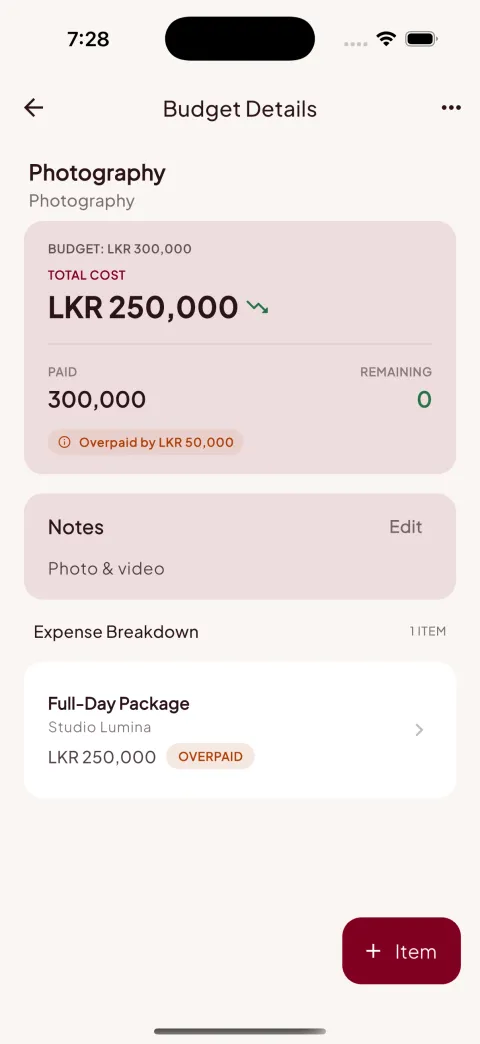
Wedding costs grow quietly — Our Day keeps them loud and clear. Set your total budget, split it into groups, and log payments as they happen. The app shows paid, pending, unallocated and even overpaid amounts, so there are no surprises the week before the wedding.
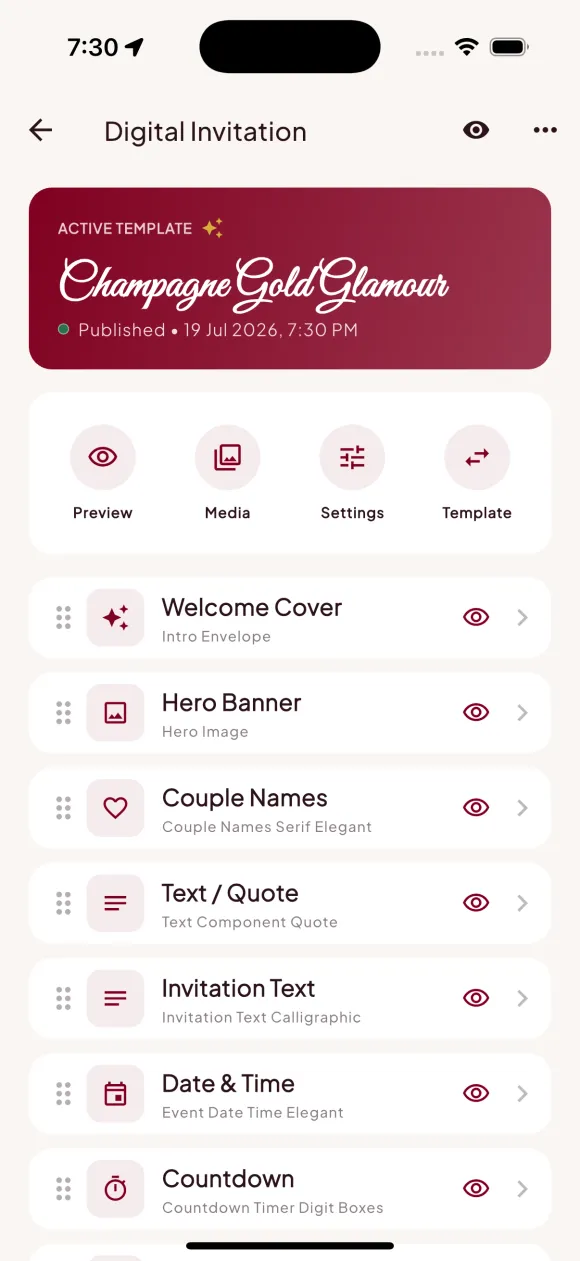
Design a digital invitation as beautiful as a printed card — couple names in calligraphy, your story, the venue, and a live countdown. Each guest receives a personal link to open in any browser and RSVP in seconds. Responses flow straight back into your guest list.
Hand-crafted digital invitation templates for every kind of celebration. Try the live demos — each one opens exactly as your guests would see it.
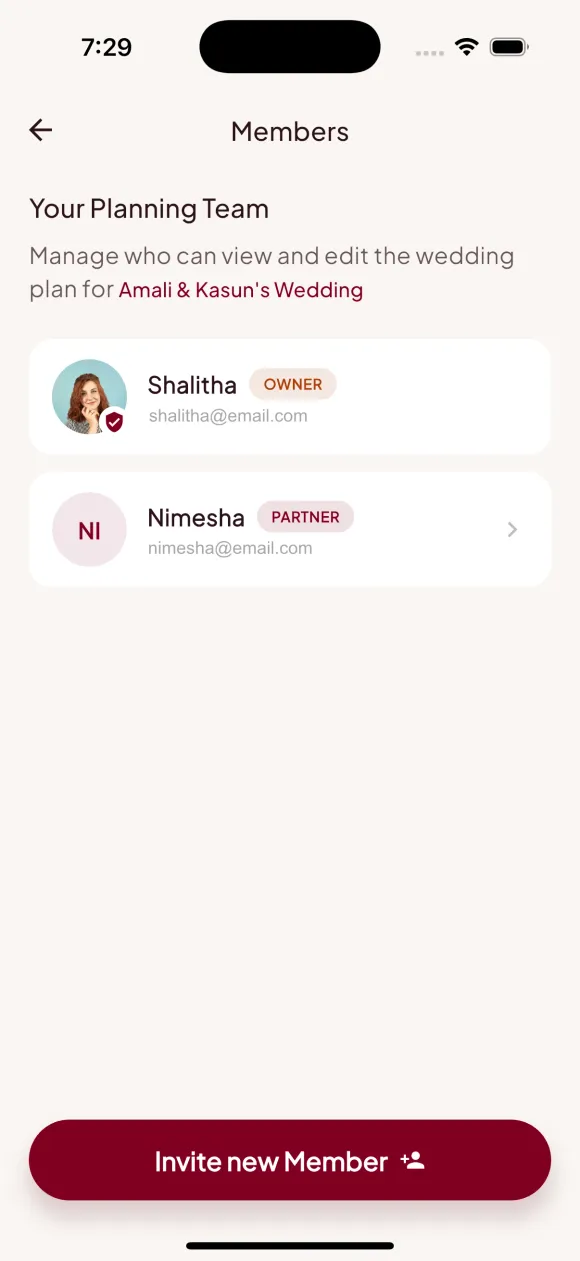
A wedding is planned by many hands. Invite your partner, parents and siblings to the same wedding plan — everyone sees the same live budget, guest list and checklist. Assign tasks, split the work, and celebrate the progress together.
Warm, calm and elegant — real screens from the Our Day app.
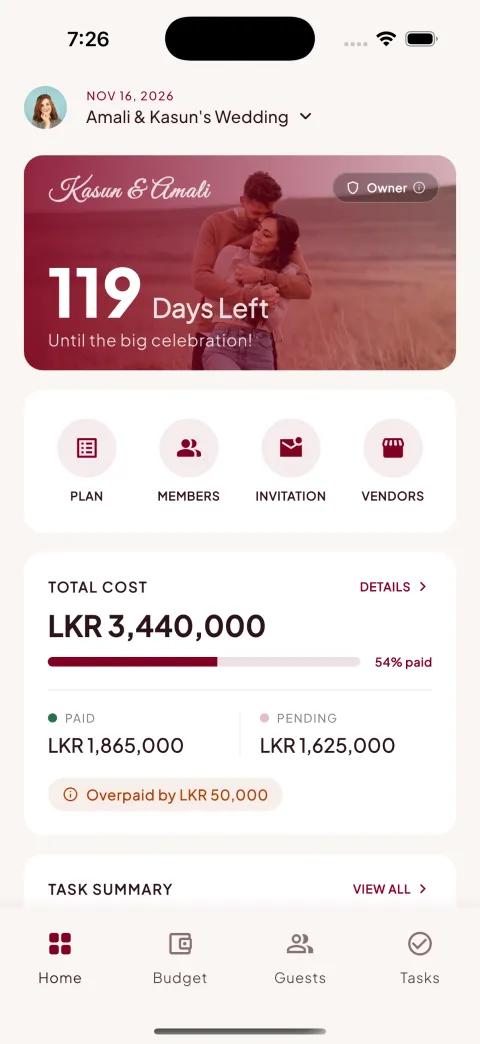
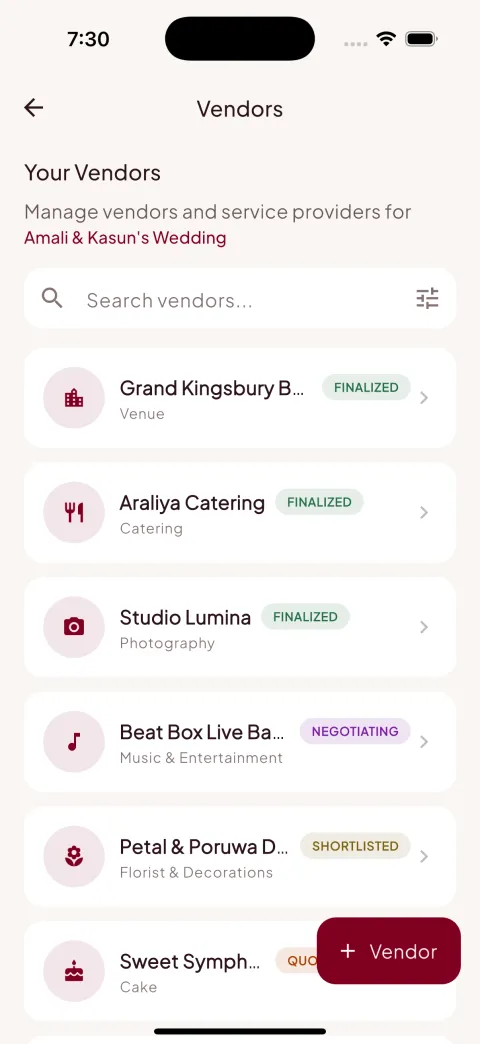
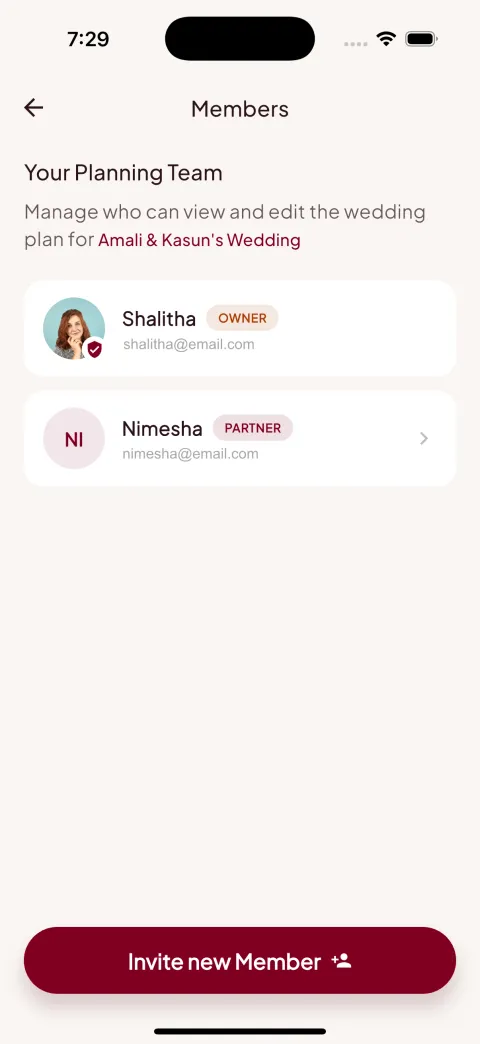
Add your names, the big date and a cover photo. Your countdown starts ticking from day one.
Bring in your partner and family. Set the budget, build the guest list, and design your digital invitation together.
Send invites on WhatsApp, watch RSVPs roll in, tick off tasks and keep the budget honest — right up to your day.
Yes — Our Day is free to download, and you can start planning your wedding right away. We may add optional premium extras in the future, but the core planning tools are free.
Yes — Our Day works anywhere in the world. Budgets support 100+ currencies, digital invitations open in any browser in any country, and you can plan in your own timezone.
You design a beautiful digital invitation inside the app using ready-made templates, then every guest gets their own personal invitation link. Share it via WhatsApp, SMS or email — guests open it in their browser, see your invitation, and RSVP with one tap. No app install needed for guests. Browse the template gallery for live demos.
Yes. Guests simply open their personal invitation link in any web browser and confirm or decline. Their response appears instantly in your guest list, along with attendee counts.
Absolutely — that is what Our Day is built for. Invite your partner and family members to your wedding plan. Everyone sees the same budget, guest list and checklist, and you can assign tasks to each other.
More than 100 currencies — USD, GBP, EUR, AUD, LKR and many more — so you can plan a wedding in London, Melbourne, Colombo or anywhere else. Amounts are formatted the way your currency expects.
Yes. Your plan is private to you and the members you invite. Data is encrypted in transit, stored securely, and never sold. You can delete your account and all associated data at any time. The details live in our Privacy Policy.
Open Settings → Account → Delete account inside the app and confirm, or request deletion by email from the address you signed up with — no app access needed. Full instructions: account deletion page.
Your day is coming
Our Day is launching soon on Google Play and the App Store. Questions or early access? Write to contact@ourday.lk.